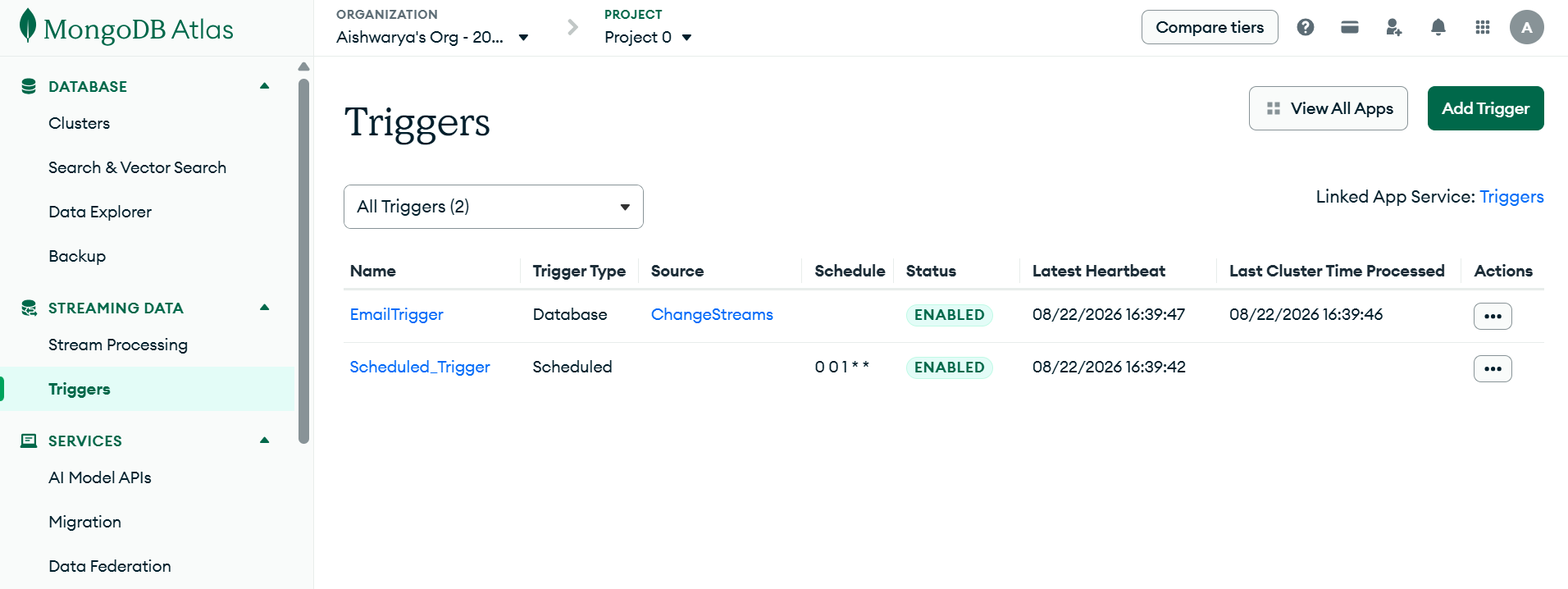
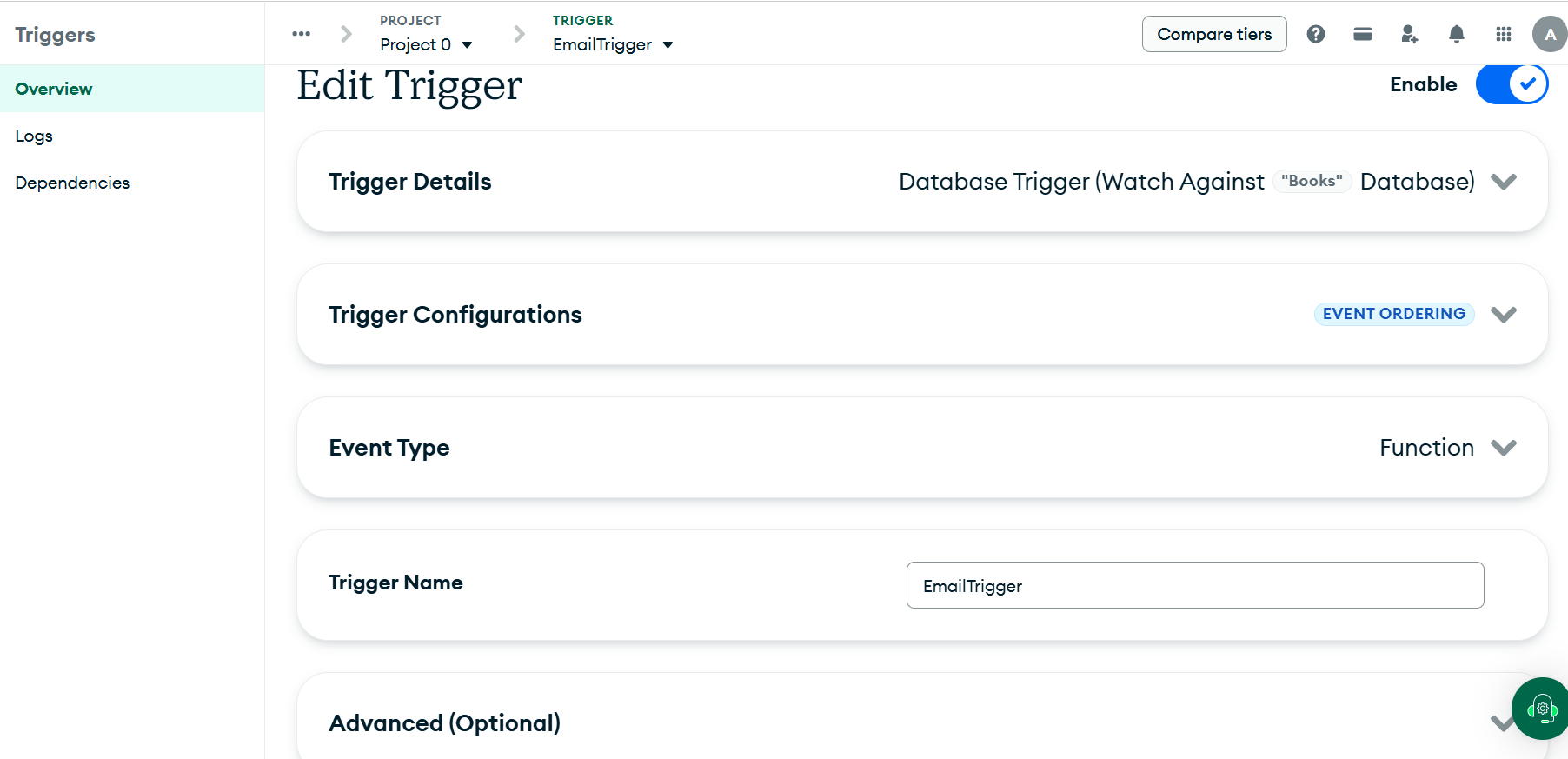
MongoDB Atlas Triggers

A MongoDB Atlas Trigger is a feature in MongoDB Atlas that lets you run serverless functions automatically when specific events occur in your database (such as insert, update, delete, or schedule-based time events).
It listens for events and then runs code automatically.
Every Database Trigger is internally implemented using a MongoDB Change Streams connection.
How do Atlas Triggers use Change Streams?
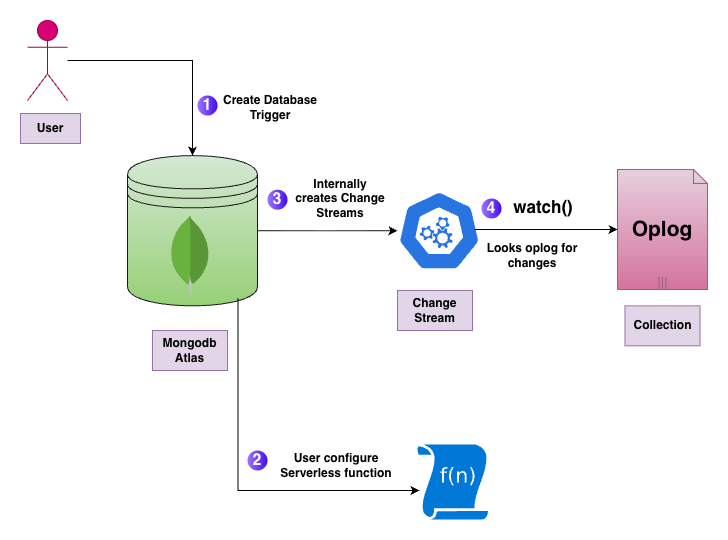
When you create a Database Trigger in MongoDB Atlas App Services, Atlas:
Creates a hidden Change Stream behind the scenes
Keeps it open continuously
Listens for the event you configured
When an event matches, your function is executed
Your cluster’s change stream capacity determines how many triggers you can create.
Types of Triggers
Database Trigger
Scheduled Trigger
Database Trigger & Use Cases
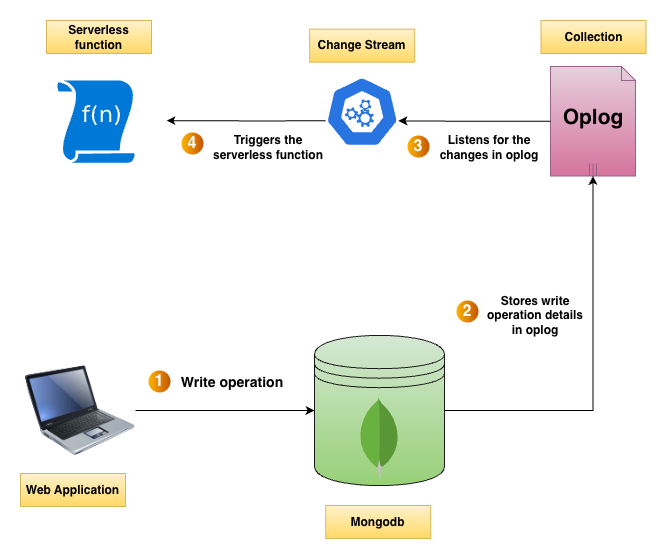
A Database Trigger runs when data in a collection changes, such as during an insert, update, or delete operation.
Database triggers also support a Match Expression, which allows you to filter which change events should execute the trigger. The trigger runs only if the change event satisfies the match expression. If the expression is left empty, the trigger will match all events and execute for every change.
Use Cases:
Send an email when a user signs up
Process orders when they are inserted
Log activity
Update other collections
Sync data to external APIs
Scheduled Trigger & Use Cases
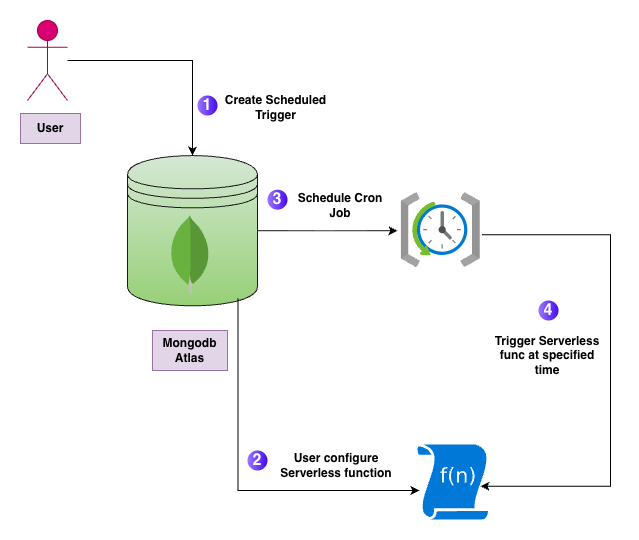
A Scheduled Trigger runs at specific time intervals using cron expressions. It does not depend on database changes and does not use Change Streams.
Use Cases:
Cleanup old data every night
Send daily reports
Send scheduled notifications
Advantages
No server setup required
Automatically reacts to data changes
Great for automation tasks
Integrates with HTTP endpoints and other Atlas services
Scales automatically
Supports scheduled jobs (cron-like tasks)
Disadvantages:
Limited debugging compared to traditional backend code
Risk of infinite loops if the trigger updates the same collection
Execution time limits for trigger functions
Can become costly at a very large scale
Slight latency since triggers run asynchronously
Screenshots: